
Cloud ERP
ERP and cloud computing meet when the ERP system runs on servers the vendor or a hosting provider manages, and users reach it through a browser or app instead of a system installed in the company’s own server room. The company stops buying servers and running upgrades. In exchange it depends on the provider for availability, security and backups, and on its internet connection for access.
For a finance team the change is practical. The branch accountant in Jeddah, the storekeeper on site and the CFO travelling all work in the same system and the same numbers, without remote-desktop links or nightly file transfers between branches.
Cloud ERP models
| Model | What it means | Typical trade-off |
|---|---|---|
| Multi-tenant SaaS | One application shared by many customers, each with separated data | Lowest effort, upgrades come to everyone on the vendor’s schedule |
| Single-tenant hosted | A separate instance for each customer, run by the vendor or a host | More control over timing of upgrades, higher cost |
| Private cloud | The company’s own instance in a data centre it chooses | Most control, most responsibility |
| On-premise | Installed on the company’s own servers | Full control, full burden of hardware, backups and upgrades |
The cost side of the choice is worked through in total cost of ownership for ERP, and the two ends of the range in SaaS and on-premise ERP.

What to check in a cloud ERP agreement: availability
Service level agreements state availability as a percentage. It helps to turn the percentage into hours. Example for a 30-day month:
| Availability | Downtime allowed per month |
|---|---|
| 99.0% | 30 × 24 × 1.0% = 7.2 hours |
| 99.5% | 30 × 24 × 0.5% = 3.6 hours |
| 99.9% | 30 × 24 × 0.1% = 0.72 hours, about 43 minutes |
Ask whether planned maintenance counts within that figure, when maintenance windows are scheduled (month-end and the VAT return deadline are bad times), and what credit applies if the target is missed. A high percentage with maintenance excluded can mean more downtime than a lower one that includes it.
Security, access and data
- Access control. Roles that limit each user to the screens, branches, warehouses and cost centres they need, and two-factor authentication for all users, not only administrators.
- Backups and recovery. How often data is backed up, how long backups are kept, and how quickly the system can be restored. Ask for the recovery time, not only the backup frequency.
- Data location. Where the data is hosted, and whether that meets any rules that apply to your sector or your customers’ contracts.
- Getting data out. What you can export during the contract and at its end, and in what format.
- Audit trail. Who changed what and when, kept in the system and available to your auditor.
Protection of data held in the cloud is covered in more detail in cloud data protection.
What changes for the finance team
Cloud ERP does not change accounting rules, but it changes how the work flows. Branches post on the same day instead of sending files, so consolidation at month-end starts from one ledger. Approvals can happen from a phone instead of waiting for a signature. Upgrades arrive on the vendor’s schedule, so test the main reports and the VAT return after each upgrade rather than assume nothing changed.
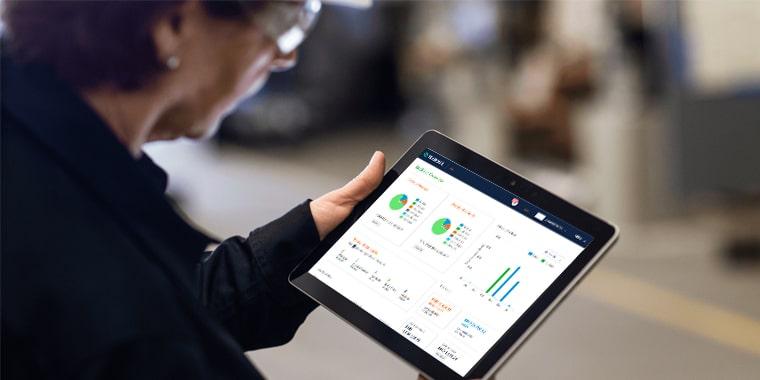
The dependency is the internet. A branch with a weak connection needs a backup line, and a plan for what staff do if the system is unreachable for an hour on a busy day.
E-invoicing is a related reason companies move. In Saudi Arabia, businesses in the integration phase issue invoices through a system connected to ZATCA, and a cloud ERP that handles this from the sales invoice removes a separate tool from the chain.
Customization, upgrades and implementation time
On-premise systems allow deeper changes to the program itself, and that is their main argument in specialised industries. The cost comes later. Every change has to be retested, and often rebuilt, when the vendor releases a new version, so many companies stop upgrading and stay on old versions for years. In a cloud ERP, changes are made through configuration, such as settings, extra fields and report layouts, which carry over to new versions. There is less freedom, and fewer surprises at upgrade time.
Cloud removes buying and installing servers from the project plan, but most of an implementation is the same either way: designing the chart of accounts and cost centres, cleaning and importing opening balances, setting approvals, and training users. Plan the timeline around those tasks, not around the hosting model.
ERP and cloud computing in Tranquil
Tranquil is a web application. ERP and HR and payroll share one login, one organization setup and one chart of accounts, and every screen switches between English and Arabic. Access is controlled by roles with screen-level permissions, limits per user on departments, warehouses, price lists and cost centres, and two-factor authentication. Changes are made in configuration: settings switches, custom and add-on fields, and a Report Designer for PDF layouts.
Employees use a self-service portal and mobile app for requests and attendance, and documents can be emailed as PDF from the system. Tranquil is ready for e-invoicing Phase 2, with B2B invoices cleared and B2C invoices reported from the invoice. More at Tranquil accounting system.
Frequently asked questions
What is the difference between cloud ERP and on-premise ERP?
Cloud ERP runs on servers managed by the vendor or a host and is used through a browser, with the vendor responsible for infrastructure, backups and upgrades. On-premise ERP runs on the company’s own servers, and the company carries those tasks itself.
Is cloud ERP secure?
It can be as secure as an internal system or more, depending on the provider’s controls and how the company manages access. Check two-factor authentication, role-based access, backups and recovery time, and where the data is hosted before signing.
What does 99.9% availability mean in practice?
About 43 minutes of downtime allowed in a 30-day month. Check whether planned maintenance is included in that figure and when maintenance windows fall, since downtime at month-end matters more than downtime on a quiet weekend.
Can cloud ERP work with a weak internet connection?
Browser-based systems need a stable connection. Branches with unreliable internet should have a backup line, such as a mobile data router, and a short procedure for what to do if the system cannot be reached.