
Cloud ERP
When people compare different ERP systems they are usually mixing three separate questions. Where does the system run, in the vendor’s cloud or on your own servers? What is it built for, any business or one industry? And how large a company is it designed to serve? Each answer narrows the field, and most shortlists go wrong because one of the three was never asked.
This article sorts the types of ERP systems along those lines, adds a fourth that matters more than vendors admit, whether you buy one suite or several connected products, and ends with the points that are specific to buying ERP in Saudi Arabia.
Types of ERP systems by deployment

Deployment is about who runs the servers and who applies updates.
| Type | Where it runs | Who maintains it | Typical cost pattern |
|---|---|---|---|
| Cloud (SaaS) | Vendor’s hosting, shared software | Vendor | Subscription per user or per company |
| Hosted (private cloud) | A data center, one copy for your company | Vendor or a hosting partner | License plus hosting fees |
| On-premise | Your own servers | Your IT team or a partner | License, hardware and annual support |
| Hybrid | Part cloud, part on-premise | Shared | Mix of the above |
Cloud ERP moves the server, backup and update work to the vendor and is reached through a browser, which suits companies with branches or staff on sites. On-premise gives more control over the database and upgrade timing, at the cost of keeping hardware and skills in-house. Hybrid usually appears in larger groups, for example a head office that keeps an older on-premise system while new subsidiaries go to the cloud.
The question to ask is less about technology and more about who will handle backups, security patches and version upgrades in three years’ time. Our articles on cloud ERP architecture and on-premise ERP go into each option.
Generic and industry-specific ERP
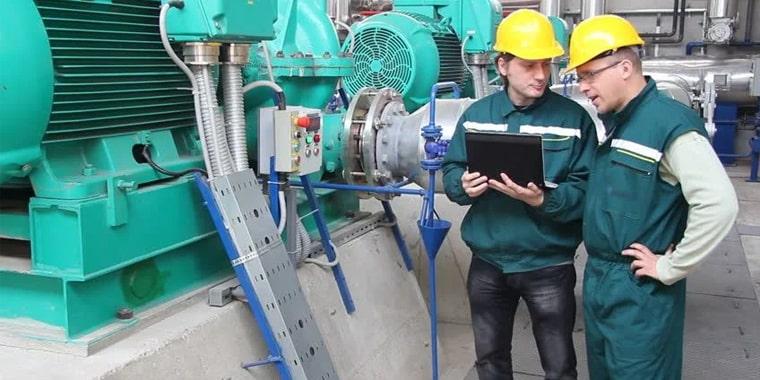
A generic ERP covers the functions most companies share, such as accounting, purchasing, sales, inventory and payroll, and adapts to each business through settings. An industry-specific ERP, sometimes called a vertical ERP, adds processes that only one sector needs, such as recipe and expiry control in food, progress billing and retention in contracting, or batch genealogy in pharmaceuticals.
The trade-off is real. A vertical product fits its sector closely but may be weak in areas outside it, and the vendor pool is smaller. A generic product with strong settings may cover most of the work, with the rest handled by configuration or a small add-on. The test is to write down the five processes that make your business different and ask each vendor to show them working, not to describe them.
One suite or several connected systems
Some companies buy one ERP suite for everything. Others use what is called a best-of-breed approach, choosing a separate product for each area, such as a specialist payroll system, a warehouse management system and an accounting package, then connecting them.
A suite keeps one chart of accounts, one customer and supplier master and one set of user permissions, so a sales invoice, a stock movement and a journal entry are linked without an interface. Separate systems can each be stronger in their own area, but every connection between them has to be built, tested and kept working through upgrades. In our experience the cost of those interfaces is the part most often missing from the business case.
A related pattern is two-tier ERP, where a group runs one large system at head office and a lighter ERP in its smaller subsidiaries, with the results consolidated.
ERP for different company sizes
Analysts and vendors often group ERP products into tiers, from systems for multinational groups down to systems for small and mid-sized companies. The boundaries are marketing labels rather than fixed rules, so a revenue figure on its own tells you little.
What actually separates the tiers is complexity. Several legal entities with intercompany transactions, many currencies, consolidation, and thousands of users push you towards the larger products. A single company with a few branches, one currency for most transactions and up to a few hundred users is usually better served by a mid-market system, which is faster to implement and cheaper to run. Buying a system built for a group ten times your size mostly buys configuration work you will not use.
How to work out which type you need

Before speaking to vendors, answer these in writing:
- How many legal entities, branches and warehouses do you have, and how many will you have in three years?
- Which processes are specific to your industry, and which are standard?
- Who will maintain the system, and do you have IT staff for servers and backups?
- Which other systems must it connect to, such as an e-commerce store, biometric devices or a bank?
- How many users need access, and from where (office, warehouse, project sites or mobile)?
Those answers usually settle the deployment and size questions and leave a short list of products to test against your own processes. Our guide to ERP implementation covers what happens after the choice.
Points specific to Saudi Arabia
Whatever type you choose, three local requirements narrow the list. First, the system must issue e-invoices that meet ZATCA requirements. Integration with the Fatoora platform has been rolled out in waves since 1 January 2023, so ask whether the product is ready for Phase 2 and for your wave, not only whether it prints a QR code.
Second, the Personal Data Protection Law has been in force since 14 September 2023 and restricts transferring personal data outside the Kingdom, which matters for cloud products hosted abroad that hold employee and customer data. Ask where the data is hosted and how transfers are handled. Third, staff will use the system in Arabic and English, so check the Arabic screens and printed documents, not only the English demo.
Where Tranquil fits
Tranquil ERP is a generic ERP suite for mid-sized companies, used through a web browser. It covers accounting and finance, sales and distribution, procurement, inventory and warehouse, production, project management, HR and payroll, and fixed assets in one system with one chart of accounts. Settings change how the same screens behave for trading, contracting or manufacturing work.
Every screen switches between English and Arabic, and the e-invoicing is ready for Phase 2. Data can be loaded from Excel templates for items, customers, suppliers, opening balances and the chart of accounts. Details are on the accounting system page.
Frequently asked questions
What are the main types of ERP systems?
ERP systems are usually grouped by deployment (cloud, hosted, on-premise or hybrid), by scope (generic or industry-specific) and by the size of company they serve. A fourth useful split is between a single suite and several connected best-of-breed systems.
Is cloud ERP better than on-premise ERP?
Not always. Cloud ERP removes server and update work and suits companies with branches and limited IT staff. On-premise suits companies that need full control of the database or upgrade timing and have the people to run servers. Compare the total cost over five years, not the first-year price.
What is a vertical ERP?
A vertical ERP is built for one industry, such as food, construction or pharmaceuticals, and includes processes only that industry needs. It fits closely but may be weaker outside its sector, so test the general functions such as accounting and payroll as carefully as the industry features.
What is two-tier ERP?
Two-tier ERP means a group runs one large ERP at head office and a lighter ERP in smaller subsidiaries or branches, then consolidates the results. It lowers the cost for small units, but needs a clear mapping of accounts and master data between the two systems.